Showing posts with label mobile. Show all posts

Friday, January 13, 2017

Droning On - Part 1: Introduction

I'm going to learn how to use a drone - and blog about my journey.

Immersive and interactive media are raising user expectations for a richer and more meaningful visual experience. Images and videos taken with drones are part of this change.

I've just taken delivery of a DJI Mavic Pro drone - or RPA (remotely piloted aircraft).

CASA released updated guidelines for the recreational use of drones/RPAs in Australia late last year.

Just before Christmas Flight safety Australia published Dirty Dozen: 12 ways your drone can land you in trouble so it's not just a matter of unpacking a drone and taking to the skies.

The DJI Mavic Pro at 1.6kg  is classed by CASA as a 'very small RPA (100g - 2kg).
CASA has an eLearning module for the 'sport, recreational or educational' use of 'very small RPAs/drones.

CASA eLearning Module

Now it was time to read the DJI Mavic Pro documentation and unpack the drone.

The DJI Mavic website has a collection of promotional and tutorial videos which were very useful while reading the user manual and unpacking the drone.

Once propellers had been attached  (matching propellers to the correct motor - white circle marks) and the remote controller prepared to was time to charge the batteries.
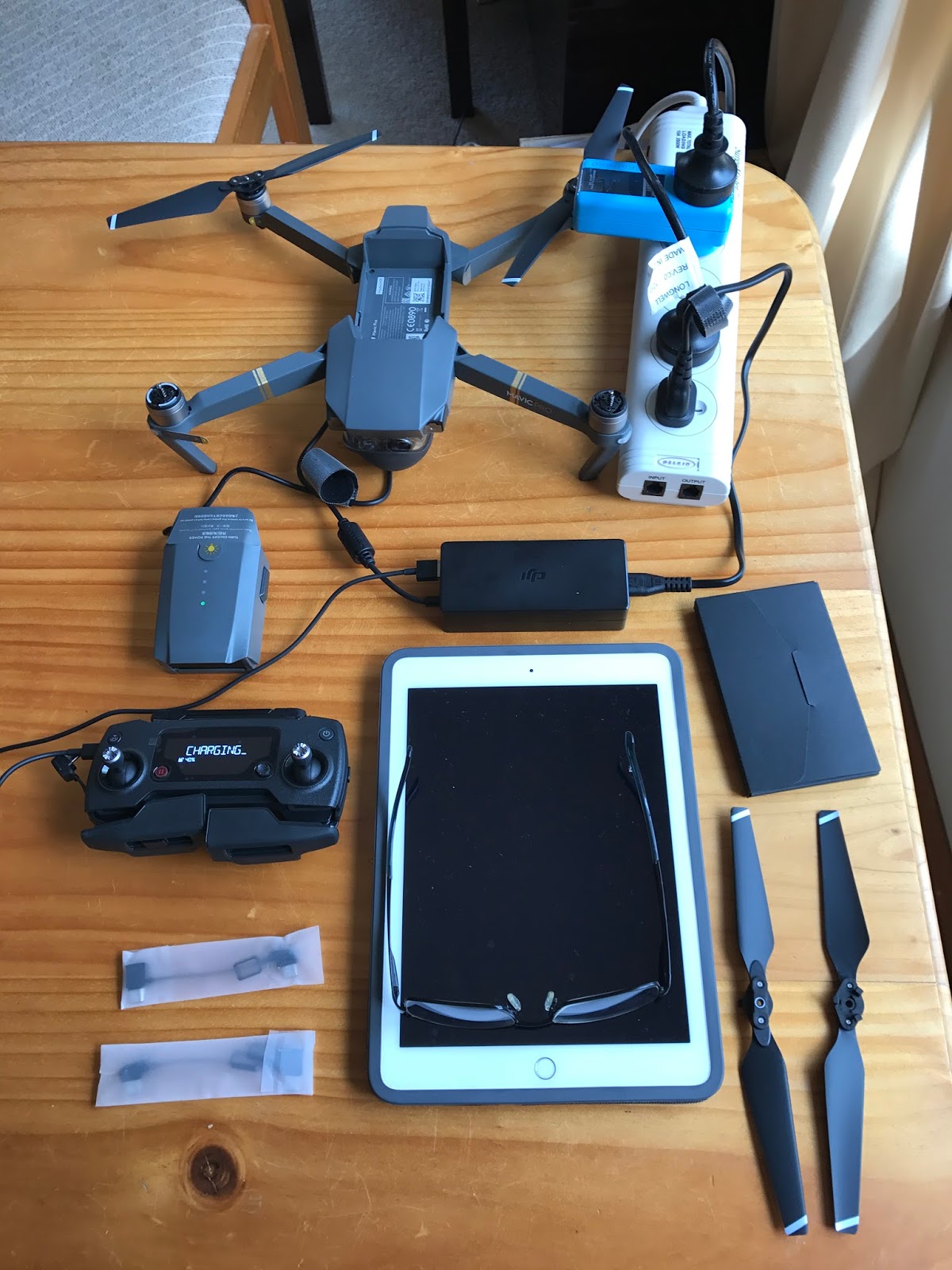
Attaching propellers and charging batteries
There was plenty of time for more reading and videos while the devices were charging.

Social Technologies Data Flow - Photos and Graphics

Click to enlarge
Photos and graphics is the final topic in this series of data flow / systems diagrams for our Department of Education social technologies services.

Photos and graphics are captured or designed from a wide variety of sources using many devices.

Editing is done through the Adobe Creative Suite for desktop and mobile - plus a wide range of other apps - increasingly on mobile devices.

Photos and graphics are processed, tagged, checked for permission to publish and licensed using the AusGOAL Creative Commons copyright licencing framework.

It is hoped that AI deep learning technology will take over some of the burden of tagging and searching thousands of images in our libraries over the next couple of years (eg automatic image tagging in iPhotos, flickr, Facebook, Google images which has developed rapidly since 2015).

Photos and graphics are published in both traditional media and social media.

Dropbox is frequently used to move digital assets between apps and devices. An increasing number of images are taken and edited on mobile devices and shared to social media.

Different photo libraries are maintained in Adobe Creative Cloud, Dropbox, flickr and Google photos for different purposes and audiences.

Interactive panorama require specialist software and hosting.


This post is part 6 of a series illustrating Data Flow for some Department social technologies:
  1. Social Technologies Data Flow - Facebook
  2. Social Technologies Data Flow - Instagram and Twitter
  3. Social Technologies Data Flow - Google+
  4. Social Technologies Data Flow - Video
  5. Social Technologies Data Flow - Mobile Apps
  6. Social Technologies Data Flow - Photos/Graphics


Monday, January 9, 2017

Social Technologies Data Flow - Mobile Apps

Click to enlarge

Most mobile app production is as an HTML5 'web-app'.

iSpring is used as a 'rapid development tool' to output HTML5 from PowerPoint. HTML5 files are hosted at SiteGround and are accessible from all mobile devices. Apps can also be a accessed via the iSpring native mobile app and for off-line viewing.

A WordPress Native app plugin has also been used and in some cases HTML5 files are produced by external contractors.

There is some use of Schoolzine for online newsletters which may be accessed directly or via the Schoolzine native mobile app.


This post is part 5 of a series illustrating Data Flow for some Department social technologies:
  1. Social Technologies Data Flow - Facebook
  2. Social Technologies Data Flow - Instagram and Twitter
  3. Social Technologies Data Flow - Google+
  4. Social Technologies Data Flow - Video
  5. Social Technologies Data Flow - Mobile Apps
  6. Social Technologies Data Flow - Photos/Graphics